05/18/12 -
Last Class!! - prints from final handed out
Leftover photographer presentations given
painting with light!!!
Thursday, May 17, 2012

05/11/12 - Final Portfolio - turn in images to be printed!
05/11/12 -
Final Portfolio - turn in images to be printed!
Email 10 images to me at: jwilliams3@ccny.cuny.edu
In class photographer presentations
Turn in any late homework now!
Final Portfolio - turn in images to be printed!
Email 10 images to me at: jwilliams3@ccny.cuny.edu
In class photographer presentations
Turn in any late homework now!
Thursday, May 10, 2012
05/11/12 - Work in class in computer center / turn in imges to be printed / photographer presentations / (if we have time painting with light / art gallery trip)
5/11 -Class
will be held in the TECHcenter
-Section C+D - In class Photographer
presentations
-Final
Project – Portfolio - turn in 10 images
-Work
in class – Assignment #13 – Animation or shapes
For
next week: -BRING: in camera + textbook
If we have time we will try PAINTING WITH LIGHT (or we will do it next week)
Also we will visit the CCNY Student Photo Show in the Art Gallery
Thursday, May 3, 2012
05/04/12 - Assignment #13 - Option 1: Shapes OR Option 2: continue to animate
Download Assignment #13 handout from class here
OPTION 1 - Photographing shapes - some examples.
Flat shape:
.JPG)
3 Dimensional shape:
.JPG)
OPTION 1 - Photographing shapes - some examples.
Flat shape:
.JPG)
3 Dimensional shape:
.JPG)
Friday, April 27, 2012
04/27 - Letters - Assignment #12
Download Assignment # 12 handout here
Shoot the alphabet using text you find on signs.


Shoot the alphabet using shapes you find that resemble letters.


Shoot the alphabet using text you find on signs.


Shoot the alphabet using shapes you find that resemble letters.


Thursday, April 19, 2012
04/20/12 - Assignment #11/working with WWM/Group A photographer presentations
4/20
-Class
in TECHcenter until 9:30 (preparing files for printing)
-Section A - In class
Photographer presentations
-Demo
–
using the macro focus feature on your camera
For next
week:
-BRING: in camera
-BRING: ALL of your image
files prepare to animate
-UPLOAD: Section B
– upload images to your
Tumblr for your in class photographer presentation + bring your filled out
forms to turn in
---------------------------------------------------------------------------------------------------------------------------------
Assignment
#11 –
paper creations that become animations
*****Images should be shot and
ready to post on your Tumblr during class on 4/27****
#1-30
or more: shoot a short sequence of images using cut paper and/or drawing to
create an animation
· we will use a program called
Windows Movie Maker in class to compile the images into a stop animation http://www.instructables.com/id/How-to-make-a-simple-stop-motion-video-using-Windo/
· Example animation using drawing: http://www.youtube.com/watch?v=7BGS9VsEjlY&feature=related
· Example animation using paper: http://www.youtube.com/watch?v=iZUojirTEgM&feature=related
· Flip book animation: http://www.youtube.com/watch?v=OoFUtoyr7i0&feature=related
Set
your camera to a low resolution to shoot a lot of pictures – go into the menu and set your resolution to 1,600 x 1,200 (Medium 2)
Use Sumopaint.com to edit images if you need to though this
is not a requirement
Thursday, March 29, 2012
03/30/12 - Assignment #10/Artist talk by Claudio Nolasco
3/30
-Class in TECHcenter
until 9:30 (preparing files for printing)
-Artist Talk by Columbia
University grad student and photographer Claudio Nolasco
For next week:
-BRING: in camera + textbook
-UPLOAD: images to your Tumblr from Assignment
#10.
-UPLOAD: Section A – upload images to your Tumblr for your in class photographer
presentation + + bring your filled out forms to turn in
UPCOMING:
4/06 -NO
CLASS Spring Break
4/13 -NO
CLASS Spring Break
4/20
-Class
in TECHcenter until 9:30 (preparing files for printing)
-Section
A - In class Photographer presentations
-Demo
–
using the macro focus feature on your camera
-Shooting Assignment #11 explained and
given – macro/micro, working with scale
For next week:
-BRING: in camera + textbook
-BRING: ALL of your image files to prepare to
print
-UPLOAD: images to your Tumblr from Assignment
#11.
-UPLOAD: Section B – upload images to your Tumblr for your in class photographer
presentation + bring your filled out forms to turn in
---------------------------------------------------------------------------------------------------------------------------------
Assignment
#10 - Images in a series
*****Images due on your Tumblr
BEFORE class on 4/20)****
example images can be found here + what they will be once "animated"
#1-10)
Shoot
a series of images that show an action (10 images in a row) hint: Keep
the camera in the same place and move the things in front of the camera.
#11-20)
Keep
you subject matter still and move the camera in small increments to
zoom in or out, or zoom around an object. (10 images in a row)
#21-30)
Shoot
a series of images that document time passing by using light. 10 images
in a row. (example: Take a picture of a window every hour from sunrise to sunset. Do not move the camera. Or take a picture of a shadow as it moves
during the day)
Set
your camera to a low resolution to shoot a lot of pictures – go into the menu and set your resolution to 1,600 x 1,200 (Medium 2)
Use
Sumopaint.com to edit images if you need to though this is not a requirement
Thursday, March 22, 2012
03/23/12- Assignment #9/using Sumopaint/photo presentation handout/Nolasco reading handout
3/23
-Class will be held in TECHcenter
-Photographer Presentation assignment handouts given,
photographers assigned
-"1000 Words to Describe Photographs" handout given
-Assignment #6 (shoot on City College Campus) photos projected –
vote for the best!
-Using image editing software to create a new composition (cutting
and pasting)
-Reading handout – profile on Claudio Nolasco
For next week:
-BRING: in camera
-BRING: ALL of your
image files to prepare to print
-UPLOAD: images to
your Tumblr that use Sumopaint Assignment #9.
-READ: Profile on
Claudio Nolasco
-------------------------------------------------------------------------------------------------
Assignment #9
Using Sumopaint.com to edit images
*****Images must be uploaded to your Tumblr BEFORE class begins on 03/30!!!!!!*****
If you are unable to upload
before class, please come early to class so that you can upload them to my
computer.
Points will be taken off of
your grade if your work in handed in late!
Please upload your Before and After
images
1-2) Use the Crop Tool
to create a more balanced composition
3-4) Use
Auto Levels to adjust one of your images
5-6) Use Levels to
adjust one of your images
7-8)
Use Color
Temperature and/or Hue/Saturation to adjust one of your images
9-10) Use
Hue/Saturation to adjust one of your images
11-12) Use Curves to
change the brightness/darkness of an image
13-14) Use a filter to
alter an image
15-16) Use a different
filter to alter an image
17-18) Use Copy and
Paste to create a new composition
19-20) Use Copy and
Paste + a Layer Mode to create a new composition
03/23/12 - Vote!! Assignment # 6 - image compilations
Click on a title to see the images and vote!! (in class on March 23rd)
01 - A picture taken in the NAC
02 - A picture taken in Shepard
03 - A picture taken in Marshak
04 - A picture taking in another City College building (not the ones above)
05 - A picture outside on campus at a low angle
06 - A non-human animal
08 - A college student
09 - An action picture
10 - A nature picture
11 - Something historic
12 - Something modern
13 - A reflection
14 - Looking up
15 - Looking down
16 - Stairs
17 - Escalator
18 - Elevator
19 - A classroom
20 - A comfy chair
voting form is here
01 - A picture taken in the NAC
02 - A picture taken in Shepard
03 - A picture taken in Marshak
04 - A picture taking in another City College building (not the ones above)
05 - A picture outside on campus at a low angle
06 - A non-human animal
08 - A college student
09 - An action picture
10 - A nature picture
11 - Something historic
12 - Something modern
13 - A reflection
14 - Looking up
15 - Looking down
16 - Stairs
17 - Escalator
18 - Elevator
19 - A classroom
20 - A comfy chair
voting form is here
Thursday, March 15, 2012
03/16/12 - assignment#8/field trip
Computer generated recreations of Ancient Rome
Tiny slideshow of images from the Met
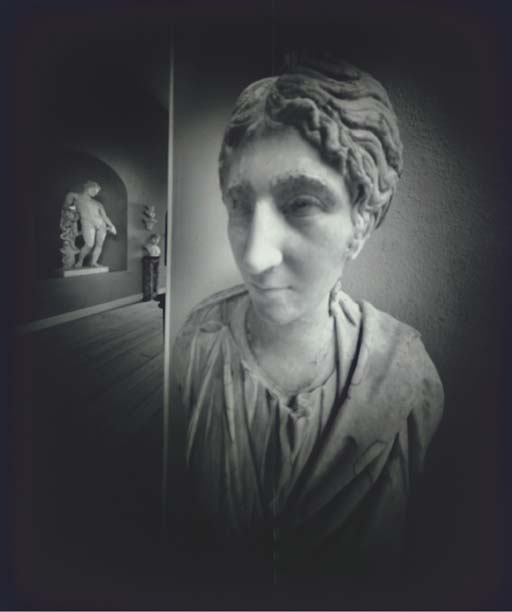
Adam Fuss's - pinhole photos of statues from the British Museum


_____________________________________________________________________________
Tiny slideshow of images from the Met
Adam Fuss's - pinhole photos of statues from the British Museum
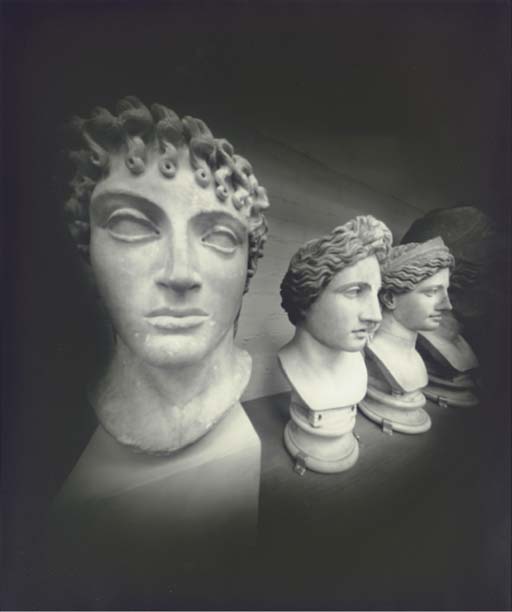
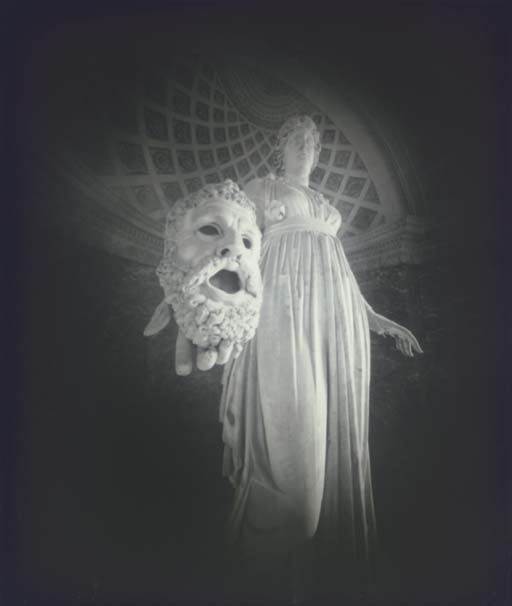
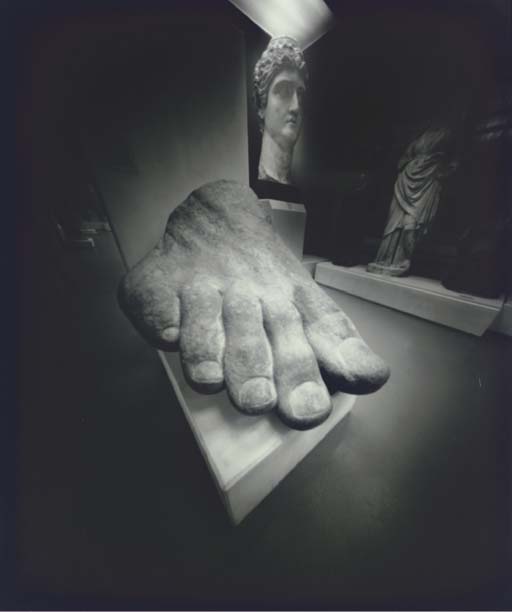
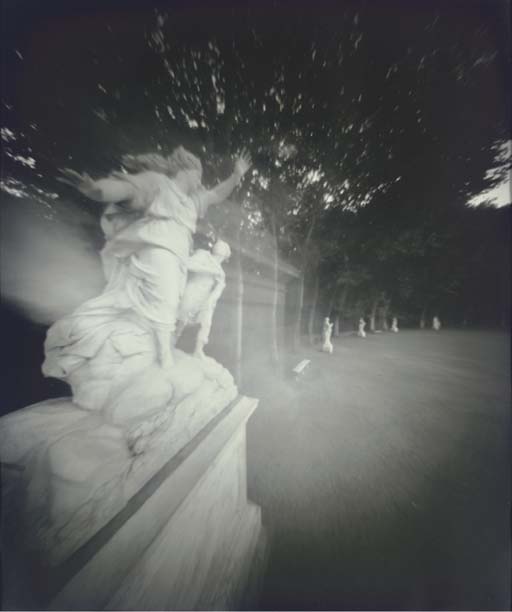
_____________________________________________________________________________
3/16
- Field trip to
Central Park and the Met
- In class shooting Assignment
#8 (Central Park and the Met)
For next week: -BRING:
in camera + textbook
-BRING: ALL of your
image files to worn on in the computer
-UPLOAD: images to
your Tumblr from Assignment #8.
______________________________________________________________________________
Shooting Assignment #8 –
Central Park + The Met Greek and Roman Galleries
*****Images must be uploaded to your Tumblr BEFORE class begins on
03/23!!!!!!*****
If you are unable to upload
before class, please come early to class so that you can upload them to my
computer.
Points will be taken off of
your grade if your work in handed in late!
Part #1 – Central
Park
1) A group of large
rocks
2) A bridge
3) A road
4) A squirrel, duck, or bird
5) An interesting tree
6) A view of the
city above the trees
7) A lamppost
8) A statue
9) A view of the sky
though the trees
10) A monument
Part#2 –
inside the Met
Please do not touch anything
and be respectful of other museum viewers
11) A picture taken
in the lobby of the Met
12) A large statue
taken from an extreme “below” view
13) A small statue,
or group of small statues
14) An hand or foot
of a statue
15) A helmet
16) A head which is
larger than life
17) A head which is
smaller than life (tiny)
18) A mythical
creature
19) Another mythical
creature
20) A picture of a
the interior of a Roman room
BONUS: An interesting reflection
in one of the glass cases
- LABEL
EACH IMAGE with the numbers and/or titles when you upload to
your Tumblr. Your grade will be lowered if your images are not
labeled!
Thursday, March 8, 2012
03/09/12 - Portraits/Self Portraits
3/09
-In class worksheet - Discussion Topic #6
-In Class Shoot, ASSIGNMENT #7 Part #1
-Read pages 160-163 in book
-Read pages 160-163 in book
Shooting Assignment #7 explained and given – portrait/self portrait
Photographer in-class presentation – Divided into 4 sections (A, B, C, D)
For next week:
-SHOOT at HOME: Assignment #7 part #2
-UPLOAD: ALL images to your Tumblr from Assignment #7
-Field Trip to the Met!
-SHOOT at HOME: Assignment #7 part #2
-UPLOAD: ALL images to your Tumblr from Assignment #7
-Field Trip to the Met!
-BRING: in camera!!!!!
-EXTRA: Money for a subway ride
------------------------
Google search - Portraits
Self Portraits group on Flickr
----------------------
Shooting Assignment #7 – Portraits/Self Portraits
Part #1 - Shoot on City College Campus
Part #2 – Shot at home
*****Images must be uploaded to your Tumblr BEFORE class begins on 03/16!!!!!!*****
If you are unable to upload before class, please come early to class so that you can upload them to my computer.
Points will be taken off of your grade if your work in handed in late!
Part #1 - On Campus with a partner- portraits of others
1) A portrait with a white, grey or black background
2) A portrait with a colored background
3) A portrait taken using artificial light
4) A portrait taken using natural light
- use natural light from now on -
5) A portrait using light coming form the right side
6) A portrait using light coming form the left side
7) A portrait taken from a low angle
8) A portrait taken from a high angle (above)
9) A close up of a particular feature of your subject
10) A portrait taken with your subject looking at the camera
11) A portrait taken with your subject not looking at the camera
12) A portrait with a smile/laughter
13) A portrait without a smile/serious
14) A portrait that incorporates a reflection
15) A full body portrait
16) A portrait showing the subject is on the City College Campus
17) A portrait showing the subject is relaxed
18) A portrait that incorporates hands
19) A portrait that is just hands
20) A portrait that incorporates motion
- LABEL EACH IMAGE with the numbers (and/or titles) when you upload to
your Tumblr. Your grade will be lowered if your images are not
labeled!
Part #2 – At Home – self portraits
Improvise a tripod for every picture!
You may need to use your self-timer.
1) A self portrait including your face
2) A self portrait without your face
3) A self portrait without your body physically being in the picture
4) A picture of something very important to you that defines you
5) A picture of your room
Thursday, March 1, 2012
03/02/12 - Quiz#5/self-timer/gallery trip/assignment#6
3/02 -
-Quiz on pages -Quiz on pages 205-208
-Critique of selected images from Assignment #5 – projected
-In class sketching for better composition
-How to improvise a tripod + use your self-timer
-City College Gallery visit – fill out and turn in worksheet
Shooting Assignment #6 – in class shoot on Campus: handout here
For next week:
-BRING: in camera + textbook
-EDIT: down photos from in class shoot. Pick best ones to….
-UPLOAD: images to your Tumblr from Assignment #6
-------------------------------------------------------------------
Shooting Assignment #6
Shoot on City College Campus
*****Images must be uploaded to your Tumblr BEFORE class begins on 03/09!!!!!!*****
If you are unable to upload before class, please come early to class so that you can upload them to my computer.
Points will be taken off of your grade if your work in handed in late!
Improvise a tripod for every picture!
You may need to use your self-timer.
This is a competition for the best example of each!!!!
1) A picture taken in NAC
2) A picture taken in Shepard
3) A picture taken in Marshak
4) A picture taken in another City College building (not those above)
5) A picture outside on campus at a low angle
6) A non-human animal
7) A campus police officer (you may need to ask their permission)
8) A college student (you may need to ask their permission)
9) An action picture
10) A nature picture
11) Something historic
12) Something modern
13) A reflection
14) Looking up
15) Looking down
16) Stairs
17) Escalator
18) Elevator
19) A classroom
20) A comfy chair
- Write down where you shot each picture + mark on the map on the back
- LABEL EACH IMAGE with the numbers (and/or titles) when you upload to
your Tumblr. Your grade will be lowered if your images are not
labeled!
Thursday, February 23, 2012
02/24/12 - Assignment#5/Quiz#4/Foreground-Background/Positive-Negative Space/City College Gallery trip
02/24/12
-In class discussion of Quiz #3
-Quiz #4 on pages 18-25 (download here)
-Quick critique of selected images from Assignment #4 – projected
-Review of camera functions – read and discuss pages 205-209
-Demo – using aperture and shutter speed (continued)
-Demo - (if not raining) shoot on City College Campus
-Trip to the City College Art Gallery (with "Discussion Topic" handout)
-In class sketching for better composition
-Shooting Assignment #5 explained and given – figure/ground, positive-negative space (download handout here)
For next week:
-RESHOOT and REUPLOAD Assignment #4 if need be (you can use this link to help you remember what we learned)
-RESHOOT and REUPLOAD Assignment #4 if need be (you can use this link to help you remember what we learned)
-BRING: in camera + textbook
-BRING: Files to print
-UPLOAD: images to your Tumblr from Assignment #5
-REVIEW: pages 205-208 – for quiz
---------------------------------------------------------------------------------------------------------------------------------
ASSIGNMENT #5:
6 images due - posted to your Tumblr - before class on March 2nd
****Post 3 images to your Tumblr that illustrate Positive/Negative Space


Top - regular image
Middle - positive space
Bottom - negative space
Middle - positive space
Bottom - negative space
******Post 3 images to your Tumblr that illustrate Foreground/Background
Photographic Composition - Background and Foreground
Understanding basic photographic composition will definitely help you start taking better pictures. Background and foreground are two important elements in your photography. You must be aware of everything around your subject and how you want or don't want to include those elements in the photo. Does the foreground add to the composition of the photo? Does the background distract from it? Remember to stop and look around before you push that shutter button.
Background
Have you ever taken a picture of someone only to realize that it looked like a lamp post was growing out of the top of their head. Kind of like this:
 | To avoid this problem there are a few things you can do.
Simply checking the area for distracting placement of objects is a good start. Don't make your subject stand with anything lined up with their head. Be on the look out for lights, sign-posts, pillars, or any other funny thing that may look like it's growing from your subject's head. |
Another solution is to blur the background. If you blur the background it becomes less distracting. I use this technique a lot. Here's an example:
 | It makes whatever is behind your subject look like a colorful, abstract backdrop instead of a busy scene that can distract from the photographic composition. You can blur the background by setting your camera to a low aperture or f/stop. Doing that opens your lens up wider giving you a shallower depth of field. If the background still isn't blurry enough for you with the aperture open as far as it will go try stepping back a little and zooming into your subject. I do this a lot too and I like the extremely blurry effect it gives the background. |
Foreground
Foreground is an often-ignored element of photographic composition that can really add to a picture. Looking for objects around your subject can add to the story you're trying to tell in your photography. The trick is to add these elements into the picture in a way that adds to and doesn't distract from the image. You can use foreground to give your subject context. It can be used to show the size of your subject. It can help show location. Foreground can also be used to frame your subject. Here's an example of my use of foreground. |  |
Subscribe to:
Posts (Atom)